Why LUTs, Built-in Tools, and Tutorials Fall Short
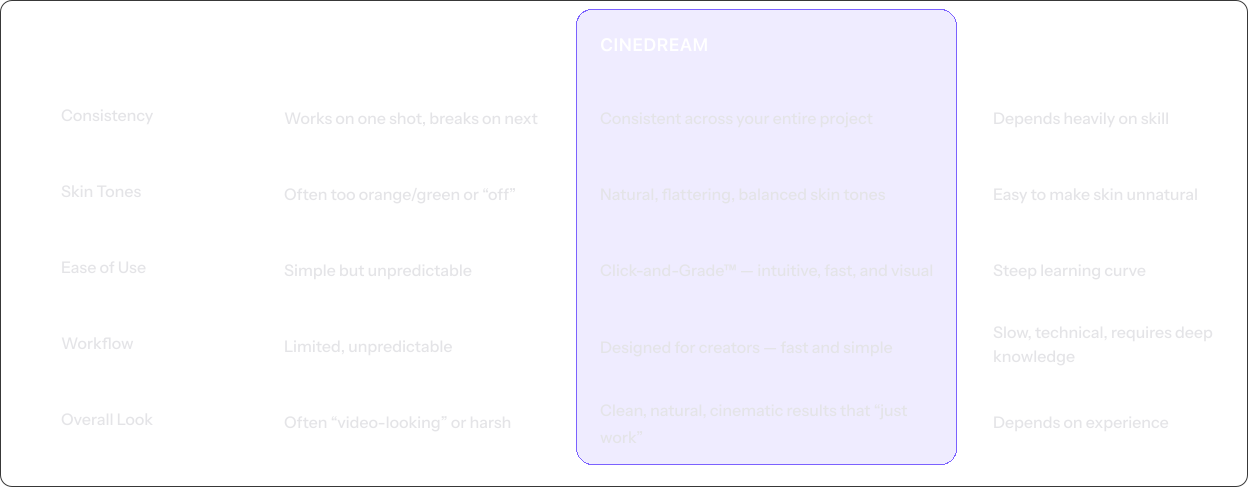
It’s not your footage — it’s the tools. LUTs fall apart, built-in tools take skill, and tutorials can only take you so far.
How it works
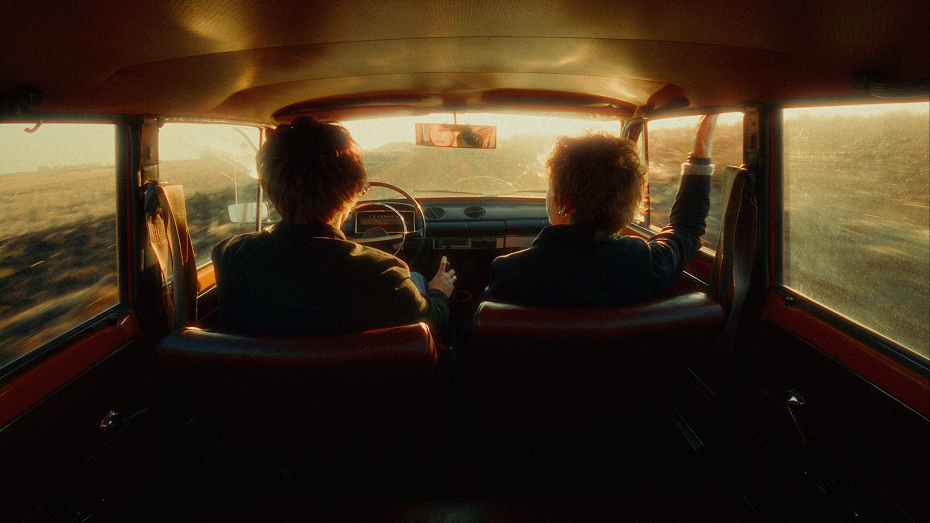
Your Footage, Transformed for the Big Screen
Hollywood Color Science, Now Yours
We prepare your footage using professional color standards*—creating the perfect canvas for film looks.
Authentic Film Looks
Choose from four film-inspired emulations that bring cinematic richness to any camera or photo
Complete Creative Control
Adjust intensity from subtle to dramatic, fine-tune exactly how filmic your work looks. Keep full control of your creative vision
How it works
Your Footage, Transformed for the Big Screen
Hollywood Color Science, Now Yours
We prepare your footage using professional color standards*—creating the perfect canvas for film looks.
Authentic Film Looks
Choose from four film-inspired emulations that bring cinematic richness to any camera or photo.
Complete Creative Control
Adjust intensity from subtle to dramatic, fine-tune exactly how filmic your work looks. Keep full control of your creative vision.
Hollywood Color Science, Now Yours
We prepare your footage using professional color standards*—creating the perfect canvas for film looks.
Authentic Film Looks
Choose from four film-inspired emulations that bring cinematic richness to any camera or photo.
Complete Creative Control
Adjust intensity from subtle to dramatic, fine-tune exactly how filmic your work looks. Keep full control of your creative vision.
Creative Toolset
The Tools That Make Cinematic Color Feel Effortless
CineDream gives you intuitive, visual tools that let you grade faster, match shots easily, and explore cinematic looks — all without the complexity of traditional grading.
Need Custom Options? Educational, volume, or non-profit licensing available
*After 30 months, your license remains valid. You can purchase an optional $49 yearly extension for continued updates and support.
Helpful Answers
Frequently Asked Questions
Will CineDream work with footage from my camera?
Yes. CineDream supports common camera LOG profiles (Sony, Canon, Panasonic, Blackmagic, ARRI, RED, DJI, etc.). If your footage isn’t LOG, choose None or Assume Rec709 and CineDream will still work great.
Do I need to shoot LOG to use CineDream?
No. CineDream works with LOG and non-LOG footage. If you shot standard/video profiles, select None or Assume Rec709 and you’ll still get a clean, cinematic starting point.
Does CineDream work in my editor?
Yes. CineDream works alongside your editor and supports Premiere Pro, DaVinci Resolve, Final Cut Pro, Photoshop, and Lightroom.
Do I need to round-trip or export anything?
No. There’s no exporting and no round-tripping. You apply CineDream in your timeline and work in CineDream’s full-screen interface, then Save/Apply and your editor updates.
Is CineDream beginner-friendly?
Yes. CineDream is designed for beginners and busy creators. Start by choosing your camera profile, then use the built-in guides (False Color + Skin Tone Guide) to get exposure and skin tones right fast.
Do I need to understand color grading or ACES?
No. CineDream uses a Hollywood-style color workflow under the hood, but you don’t need to learn ACES or color science to get cinematic results.
What if CineDream looks “too strong” or “off” on my footage?
That usually means the clip needs a quick exposure and/or white balance/tint correction first (common with LOG). Use False Color to set exposure (start with skin), then adjust Temp/Tint (use the Skin Tone Guide). After that, the film foundation behaves beautifully. If it’s still too strong, dial back Tone Curve / Film Color intensity, or toggle Film Emulation off for a clean Rec709 conversion.
Will CineDream slow down my timeline?
CineDream is GPU-accelerated and designed for real-time workflow on modern systems. Performance depends on resolution, codec, host app, GPU, and which effects are enabled (grain/bloom/halation are heavier). If playback gets choppy, lower viewer quality, disable heavy effects while editing, or render previews.
Is this better than using LUTs or film emulation plugins?
CineDream is different: it gives you a cinematic film foundation first, then lets you Click and Grade™ directly on the image, match shots faster, and fine-tune looks (including separate LUT color/contrast control). The goal is consistent, cinematic results without LUT guessing or fragile one-shot looks.
What’s the difference between the Annual Plan and the Perpetual License?
· Annual ($99/yr): all features + continuous updates and new features while subscribed; cancel anytime. · Perpetual ($249 one-time): you own your license forever; includes 30 months of updates/support, then updates are optional via an annual extension.
How many computers can I install it on?
Our licensing terms allow activations on up to TWO computers simultanously.
Is there a free demo?
Yes. You can try the demo before buying (no credit card required).
What if I’m not happy with CineDream?
You’re covered by the 30-day money-back guarantee.
What if I need help?
Email support@cinedream.io and you’ll get step-by-step help (installation, activation, workflow questions).
Ready to Get Started?
Get the cinematic look you've always wanted.
Your footage can finally look the way you always imagined it — clean, cinematic, and confidently yours.